





About My Optus
The My Optus App helps customers manage their services, experience the Optus Living Network, and get support. It offers practical control over your connection and services.
Key Functions
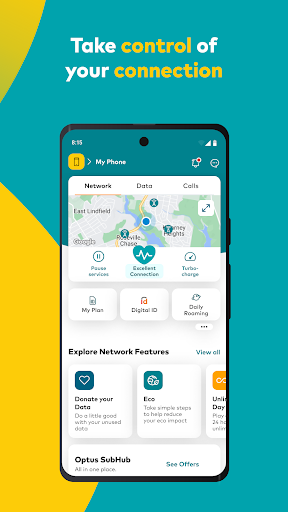
Manage your connection
View network performance, pause internet, or boost speed easily.
Access SubHub
See active subscriptions and discover savings on bundled services.
Shop easily
Browse and purchase Optus products and services conveniently.
24/7 Messaging Support
Get instant help and support anytime you need it.
Simplified Payments
Make secure and quick payments for your services.
Use Cases
Optus customers can easily manage their home internet speed or data needs. Non-customers can explore deals and learn about the Optus network, making it accessible for everyone.
How It Works
- Download and install the My Optus App on your Android device.
- Open the app and follow the prompts to log in or sign up.
- Navigate the dashboard to access different features like network control or shopping.
- Use the messaging feature for quick support or manage your payments.

 Google Play
 App Store
