




About Google’s Find Hub
Find My Device helps you locate lost Android devices. It shows your devices on a map and allows you to play a sound.
Key Functions
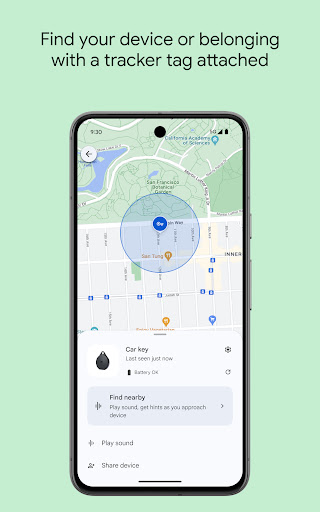
Locate devices on map
See your phone, tablet, or accessories on a map, even when they are offline.
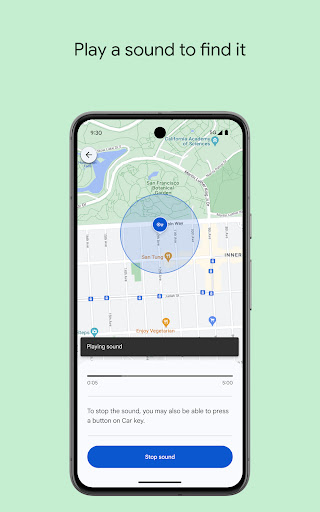
Play sound
Make your lost device ring loudly to help you find it if it's nearby.
Secure or erase device
Remotely lock your device or delete its data to protect your privacy.
Display lock screen message
Add a custom message for whoever finds your device to see.
Use Cases
If you misplace your phone at home, you can use the 'Play sound' feature to locate it quickly. For devices lost outside, the map view helps you track its last known location, and you can remotely secure it.
How It Works
- Open the Find My Device app or go to android.com/find on a web browser.
- Sign in with your Google Account.
- Select the lost device from the list.
- Choose an action: locate on map, play sound, secure, or erase.

 Google Play
 App Store
